aptLearn7.5.0
Publisher Description

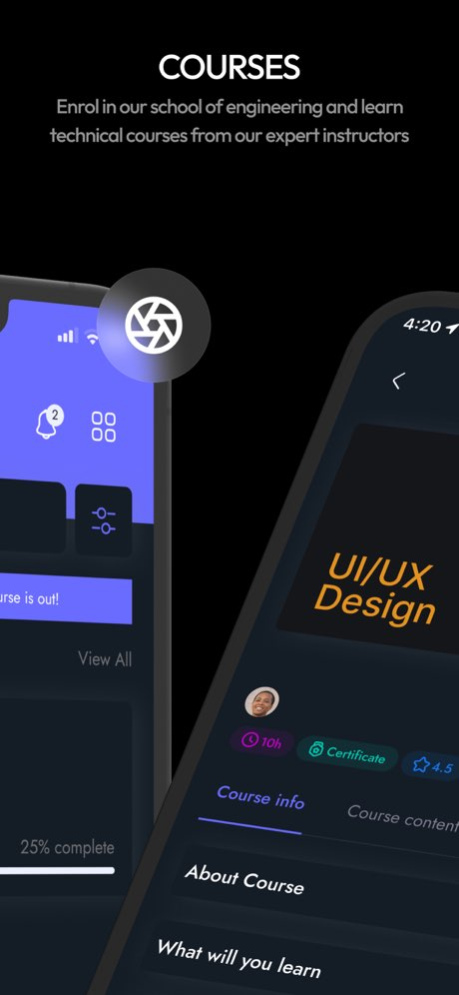


Online learning solution created for engineers by engineers. With a mission to improve lives through learning, aptLearn is an online learning platform that helps learners gain on-demand tech skills they need to compete in today's economy and acquire professional certificates at a fraction of the cost and time.
Features
The aptLearn Mobile app contains the following features:
FIRST SECTION
Tech Courses: Acquire on-demand tech skills from our engineering and non-technical courses using one comprehensive yet affordable online course.
- Online course learning
- Learning progress tracking
- Online technical courses
- Online non-technical courses
- HTML, CSS, and JavaScript courses
- Programming courses
- Data analysis courses
- Cybersecurity courses
- UI/UX courses
- Course wishlist
- Course examination
- Q&A and collaboration with other students
SECOND SECTION
CODEPEN: Learn how to code from the comfort of your mobile phone using an online IDE (Integrated Development Environment).
- View, edit, and delete code
- Create a web code in HTML, CSS, and JavaScript
- Run and save your code for future use
- Share your code on social media with friends or GitHub for collaboration
- Engage in coding competitions with other students
- The app IDE also works for other languages such as:
C IDE on the app
C# IDE on the app
JavaScript IDE on the app
Node.Js IDE on the app
PHP IDE on the app
Dart IDE on the app
TypeScript IDE on the app
Java IDE on the app
Elixir IDE on the app
Ruby IDE on the app
GO IDE on the app
Swift IDE on the app
Scala IDE on the app
Kotlin IDE on the app
etc.
Blazing fast course lesson streaming
Bug fixes and performance improvements
New responsive and improved design
About aptLearn
The company that develops aptLearn is Ssu-Technology Limited. The latest version released by its developer is 7.5.0.
To install aptLearn on your iOS device, just click the green Continue To App button above to start the installation process. The app is listed on our website since 2026-02-10 and was downloaded 1 times. We have already checked if the download link is safe, however for your own protection we recommend that you scan the downloaded app with your antivirus. Your antivirus may detect the aptLearn as malware if the download link is broken.
How to install aptLearn on your iOS device:
- Click on the Continue To App button on our website. This will redirect you to the App Store.
- Once the aptLearn is shown in the iTunes listing of your iOS device, you can start its download and installation. Tap on the GET button to the right of the app to start downloading it.
- If you are not logged-in the iOS appstore app, you'll be prompted for your your Apple ID and/or password.
- After aptLearn is downloaded, you'll see an INSTALL button to the right. Tap on it to start the actual installation of the iOS app.
- Once installation is finished you can tap on the OPEN button to start it. Its icon will also be added to your device home screen.
Program Details
System requirements
Download information
Pricing
Version History
version 7.5.0
posted on 2026-02-10
Blazing fast course lesson streaming
Bug fixes and performance improvements
New responsive and improved design
version 7.3.0
posted on 2025-03-06
Mar 6, 2025
Version 7.3.0
Bug Fixes and Performance Improvements
version 6.1
posted on 2023-09-19
Sep 19, 2023
Version 6.1
===== What's New? =====
--Certificate Download on Dedicated Course Completion Page
--Turn Off Ads In Profile Settings
--Content Drip Implementation
--More Technical Courses are now available
=====Fixes=====
--Bug: New user not receiving a certificate for certification courses upon course completion
--Bug: New user cannot complete registration due to OTP failure
--Bug: Search not working for new users
--Bug: Orders not displaying correctly or up to date
--Bug: Wishlist not accessible "users cannot add or remove wishlist."
====IMPROVEMENTS======
--Navigation Button Re-implemented for improved user experience
--Other Bug fixes and performance improvement
version 5.3
posted on 2023-07-22
Jul 22, 2023
Version 5.3
Bug fixes and performance improvements
Sign Up/ Sign Issue resolved
version 5.2
posted on 2023-07-17
Jul 17, 2023
Version 5.2
Bug fixes and performance improvements
Course progress issue fixed
version 5.1
posted on 2023-07-09
Jul 9, 2023
Version 5.1
Learning Reminder Notification
Turn off ads
Complete Video page
Lesson Page optimization to make it super fast
---Fixes
Issues where the run button does not work when running code on the lesson page on iOS
Issues where the video keeps playing in-app background even after you have exited the app
Issues where lesson attachment does not appear even when present for such lessons
Issues where some users are unable to download certificate
Issues where users cannot sign up or log in due to invalid OTP
version 5.0
posted on 2023-07-03
Jul 3, 2023
Version 5.0
Learning Reminder Notification
Turn off ads
Complete Video page
Lesson Page optimization to make it super fast
---Fixes
Issues where the run button does not work when running code on the lesson page on iOS
Issues where the video keeps playing in-app background even after you have exited the app
Issues where lesson attachment does not appear even when present for such lessons
Issues where some users are unable to download certificate
Issues where users cannot sign up or log in due to invalid OTP
version 3.0
posted on 2023-06-26
Jun 26, 2023
Version 3.0
FullScreen Video implementation
Turn off ads
Order status information added
Total revamping of the lesson page
---Fixes
Issues where the run button does not work for code IDE in the lesson page of some devices
Issues where the video keeps playing in-app background even after you have exited the app
Issues where lesson attachment does not appear even when present for such lessons
Issues where some users are unable to download certificate
version 2.4
posted on 2023-06-08
Jun 8, 2023
Version 2.4
Note: Please pull down to refresh after updating
You can now search for any course you want
Bug fixes and performance improvements
